
Your uninterruptible power supply (UPS) keeps essential systems running through power interruptions. Every UPS depends on reliable batteries to perform. Learning the signs it’s time to replace your UPS battery helps you plan replacements before battery failure creates unnecessary business disruptions.
How Long Do UPS Batteries Last?
Most standard valve-regulated lead-acid (VRLA) batteries have a useful battery age of 3 to 5 years. Performance gradually declines after that window, even with careful use. Environment, load, and maintenance all shape how quickly that decline happens. The better you maintain your battery system, the longer it can provide reliable performance.
Battery Age as a Replacement Signal
Review your installation records and plan ahead. Batteries approaching the three- to five-year mark deserve closer attention, especially in critical operations. Even batteries that seem to perform normally degrade over time, so understanding UPS systems helps.
If you have an aging UPS system, consider evaluating the entire unit. The right replacement timeline depends on the model, environment, and maintenance history.
Alarms and Alert Signals
Your UPS communicates problems before complete battery failure. Beeping alarms, amber caution lights, or error codes on the display panel indicate battery issues that need attention. Some systems also send digital alerts through monitoring software.
Treat these warning indicators seriously because they help prevent unexpected downtime. Test the system promptly after any alert appears to confirm the battery’s condition.
Declining Battery Runtime
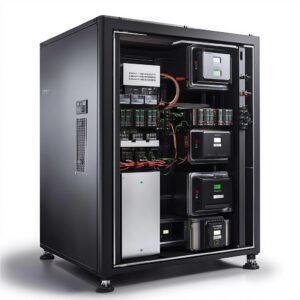 Pay attention when your systems don’t stay powered as long as they once did during outages. Reduced battery runtime signals internal battery degradation. Compare current runtime with the manufacturer’s expectations whenever possible.
Professional battery testing can confirm when declining capacity warrants replacement. Reduced runtime means the battery backup your operation depends on can no longer deliver expected performance during an outage.
Physical Damage
A visual inspection catches problems that software monitoring may miss. Look for:
- Acid leaks
- Swollen casings
- Cracks
- Corrosion
- Discoloration from excessive heat
Damaged batteries create safety risks for nearby equipment and personnel. Remove and replace damaged batteries promptly instead of waiting for the next scheduled inspection. Never continue operating a visibly damaged battery because conditions can worsen quickly.
System Failure During Outages
A UPS should keep essential equipment running when utility power disappears. If servers or network equipment shuts down during an outage, investigate the battery first. Check that devices connect correctly to the UPS before drawing conclusions.
If connections look fine, an internal battery failure may already have reduced available backup capacity. Professional testing confirms whether battery replacement restores dependable backup performance.
Heat and Battery Life
High temperatures shorten battery life significantly. Generally, every 15° to 18°F above 77°F can roughly cut VRLA battery life in half. A UPS installed in a warm server room faces accelerated battery aging. Excessive heat often shortens battery life well before the expected three- to 5-year window.
Improve ventilation, relocate equipment when practical, and test batteries exposed to consistently warm conditions. Don’t rely on standard lifespan estimates for batteries operating in high temperatures.
Preventive Maintenance
Skipping preventive maintenance makes it harder to detect early battery problems. Routine inspections identify declining performance before failures interrupt operations. During preventive maintenance, technicians evaluate voltage, impedance, and other key indicators of battery health.
Standard UPS self-tests cannot detect every battery issue. Additional testing uncovers problems that require further inspection or battery replacement before they become critical. This proactive approach supports informed planning for UPS battery replacement instead of forcing emergency action after an unexpected failure.
Load Capacity and Upgrades
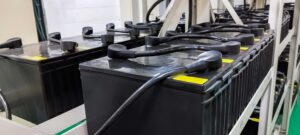 Growing infrastructure places additional demand on existing UPS batteries. An increased load reduces runtime and raises the risk of failure during an outage. Review your power requirements whenever you add new equipment.
If your current UPS cannot meet demand, consider adding more battery cabinets or upgrading to a larger UPS system when appropriate. Newer lithium-ion batteries can provide longer service life, improved efficiency, and lower maintenance requirements than traditional lead-acid batteries in many applications.
Keep Your Backup Power Ready
Overlooking warning indicators increases the risk of unexpected downtime and leaves critical systems vulnerable. Replacing aging batteries before failure helps maintain dependable UPS battery runtime without power during outages.
At Nite and Day Power, we provide expert battery testing, replacement, and maintenance for all major UPS brands. Call (800) 540-7693 to schedule service and keep your critical power systems prepared for the next power interruption.
