
You’ve grown used to expecting a bit of heat from your electronic devices. However, when it comes to uninterruptible power supplies, heat is one of their biggest environmental threats. The good news is that you can keep your UPS from overheating.
Read on as we look at the common causes of UPS overheating, the danger it poses, and how you can safeguard your unit. We’ll also highlight how scheduling professional uninterruptible power supply services can help keep your UPS unit running efficiently for years to come.
How Heat Damages Your UPS System

Your UPS system relies on a battery, which is rated to operate within a specific ambient temperature range. Though the operating range varies by model, most VRLA UPS batteries achieve their best service life between 68 and 77 degrees.
Temperatures above 77 can adversely affect battery performance and longevity. According to most major manufacturers, for every 18-degree increase above 77, a VRLA battery’s expected lifespan may be reduced by approximately 50%.
In addition to battery degradation, overheating can also lead to increased cooling-fan wear, capacitor stress, and complete system failure.
UPS Overheating Causes
It is possible to prevent your UPS system from overheating. However, to do so, you first need to be aware of the common causes of UPS overheating.
Poor Ventilation and Airflow
One common reason UPS systems overheat is inadequate airflow. Placing your unit in a tight or poorly ventilated space will block its intake and exhaust vents. This traps hot air inside the unit, causing it to overheat.
Dust Buildup
Dust can clog the unit’s fans, internal filters, and circuit boards, acting as an insulating blanket that restricts airflow and traps heat.
High Ambient Temperatures
High ambient temperatures can also cause overheating. This is often the case if you place your UPS unit in a hot room or near an external heat source.
Overload and Excessive Power Consumption
Operating your UPS unit beyond its rated capacity will force its internal components to work harder and generate more heat.
Cooling Fan Failure
Many UPS units, particularly higher-capacity models, use cooling fans. Unfortunately, electrical and mechanical wear and tear can cause these fans to slow down or fail completely. If this happens, heat will rapidly build up inside the chassis.
How To Stop UPS Overheating
Now that you know the common causes of UPS overheating, the next step is to learn how to prevent it. Here are a few tips that will help you do just that.
Check the Environment
Start by assessing the room where your UPS is installed. Ensure it is climate-controlled and that the unit itself is properly ventilated. Avoid placing the UPS in a corner where airflow may be blocked.
Clean the Vents
Regularly clean your unit’s vents with compressed air to prevent dust from building up.
Manage Capacity
Avoid connecting more devices than your UPS unit is rated to support.
Monitor the Battery’s Age
Overheating is more common in aging UPS batteries. If your unit’s batteries have been in use for close to three years, you may want to schedule a test or replacement.
Schedule Reliable Preventive UPS Maintenance
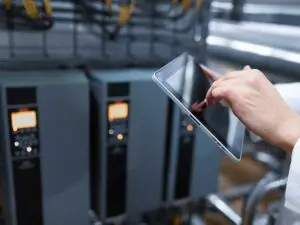
The last thing you want is for your UPS unit to fail, especially when you need it most. This is why it’s not enough to know the common causes of UPS overheating. You also need to learn about UPS maintenance and how critical it is to protecting your business’s power systems.
Here at Nite & Day Power, we are happy to offer maintenance services designed to keep your UPS unit running. Our work ranges from visual inspections and cleaning to thorough operational testing according to the manufacturer’s specifications. We also test circuit breakers, transfer switches, and maintenance bypass systems.
Call us today at (800) 540-7693 and let our trained technicians protect your UPS unit against unforeseen and costly malfunctions.